Turn a reviewed transcript into visible, indexable HTML on your WordPress page. Follow Video, Text and Go live to make the words available on your own URL, alongside the video.
## What this workflow produces
Your published transcript becomes page content that search engines can crawl and consider for indexing when the page is accessible and indexable. Video metadata and a video sitemap are additional, separate SEO outputs. Visitors also gain a way to read the explanation without playing the video.
## Before you begin
Install VidSEO from the official channel for your edition and activate it. Open VidSEO and use the getting-started screen. Manual editing and file imports need no AI account.
Upgrading from 1.x? [Read the upgrade guidance](/docs/#upgrading) before deactivating the old plugin.
## 1. Add your video
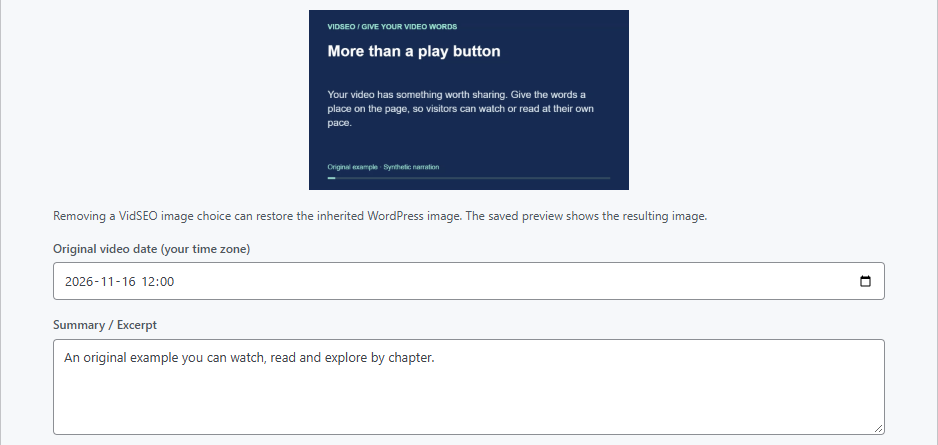
Create a video and enter its address. Give it an accurate title and description, choose a thumbnail and enter the original publication date. Use a date you can verify.
These details support the publication check and eligible video structured data. An available player alone does not prove that every output is ready.
Enlarge screenshot ↗Choose the thumbnail, original upload date and description in the Video step.
## 2. Review your text
Paste your text or import a UTF-8 TXT, SRT or VTT file you are authorized to use. Review the private import candidate before adopting it into the working document.
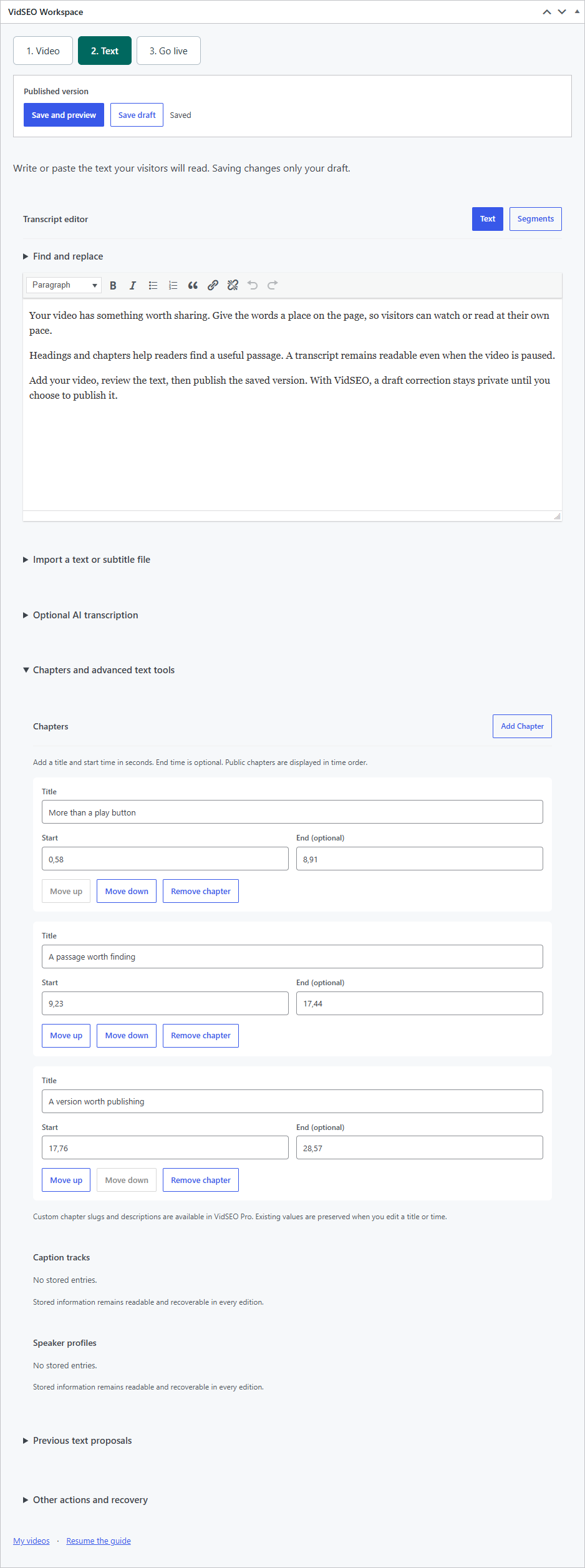
Correct the wording and arrange it into useful paragraphs and headings. Add chapters when they help, and verify any timestamps. Plain text remains useful without invented timing.
In 2.0, automatic YouTube captions API retrieval is unavailable. You can import an authorized subtitle file yourself. Optional AI connections are a separate path, with provider charges and a review step.
Enlarge screenshot ↗Edit the transcript and prepare chapters in WordPress.
## 3. Save, preview and publish
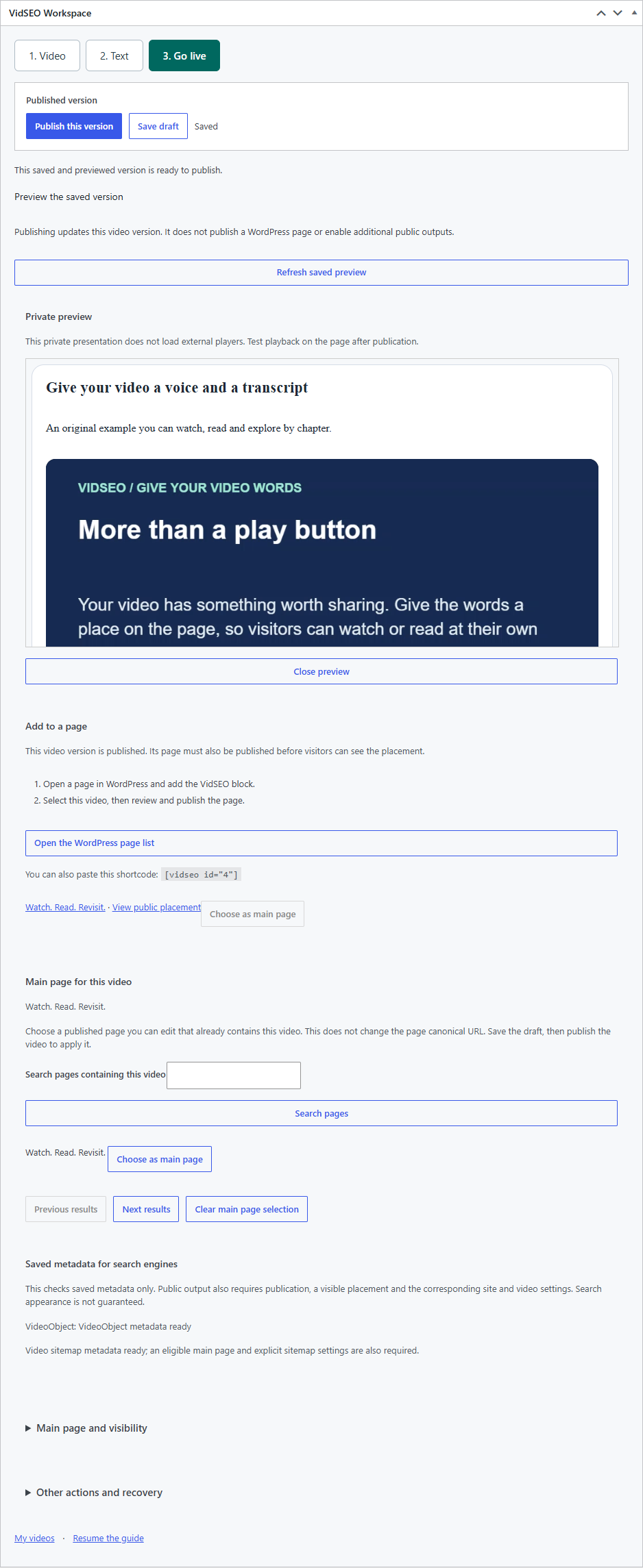
Save the document, then inspect the preview. The Go live step shows the current state and anything still missing. Publish the saved version you have reviewed.
Saving and publishing are separate actions. A later edit remains a draft until you publish it. Publishing a VidSEO video also does not publish the WordPress page that contains it.
Enlarge screenshot ↗Check the saved preview and choose when to publish.
## Place it where visitors need it
Add the VidSEO block to your page or paste the shortcode displayed in the editor. For example, `[vidseo id="123"]` uses video ID 123; replace it with your own ID.
Both editions can select an eligible existing main page containing the video. Pro can create a draft watch page, which still needs review and publication.
## Check the public result
Open the page while logged out and check it on desktop and mobile:
- The intended video and published transcript are present in the public page.
- If indexing is your goal, the page is accessible to search engines and is not excluded by your site’s indexing settings.
- The words, chapters and thumbnail match your source.
- The player behaves as expected with your site's consent settings.
- Enabled structured data and sitemap entries are present when the video is eligible.
- The layout and loading behavior work with your theme and cache configuration.
The publication summary checks VidSEO’s requirements. It does not prove that Google has indexed the page’s text or the video. Text indexing and video indexing are distinct, and neither is guaranteed.
Ready to publish your first video?
Keep the first attempt simple: one video, one reviewed transcript and one page.
 Enlarge screenshot ↗
 Enlarge screenshot ↗
 Enlarge screenshot ↗